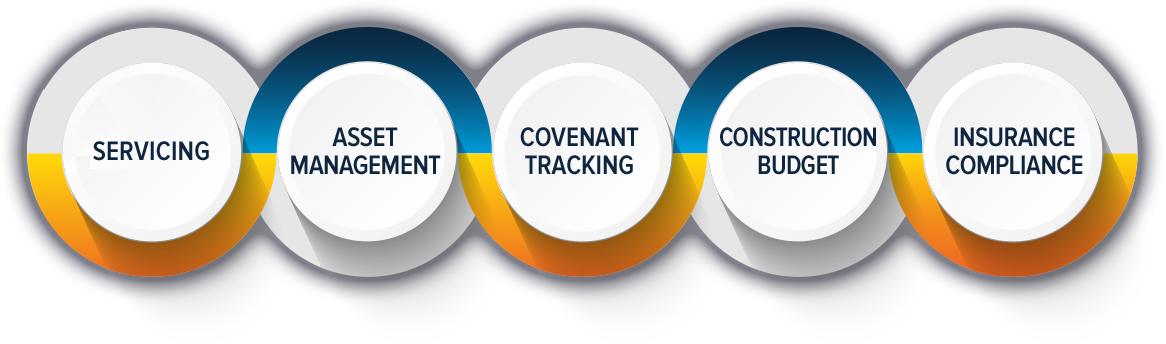
STRATEGY: The industry standard platform for commercial/multifamily loan servicing.
STRATEGY manages over 180,000 loans by a variety of financial organizations, including Banks, Insurance Companies, Private Lenders, BPL Lenders, Fix & Flip Construction, Bridge Lenders, and more.
A comprehensive system to automate Commercial/Multifamily Loan Servicing & Asset Management.
Everyone working in the commercial real estate lending industry already knows that CRE servicing is a complex and time-consuming process. But with advancements in technology, it’s becoming easier to streamline the process and increase your...Read More
By Terry Clay That’s the million-dollar question many in the commercial lending space are asking themselves nowadays. A book could easily be written on this complex topic. There are a lot of questions you must...Read More
The McCracken website stores cookies (including third-party cookies) on your computer, including cookies to make the website available to you, to improve your browsing experience, and to provide personalized services and advertisements to you. To learn more about how we use your information and cookies see our Privacy Policy.
By clicking “Accept All Cookies” you agree to the use of all cookies and by clicking “Reject” you refuse the use of all cookies except those strictly necessary for the operation of our website. Note that by clicking “Accept All Cookies” you will be consenting to the tracking of your actions on our website (including by cookies, pixels, and other technologies) and the disclosure of your information obtained through these methods to third parties. By clicking on “Preferences”, you can accept cookies by category. You can withdraw your consent to the use of cookies at any time.
Cookie Preferences
Manage your cookie preferences below:
The website cannot function properly without Essential Cookies. Accordingly, these cookies can't be disabled. Use of Essential Cookies is required to make this website available to you, and for this reason, these Essential Cookies do not require your consent.
Name
Description
Duration
csrf_token
-
Cookie Preferences
This cookie is used to store the user's cookie consent preferences.
30 days
CloudFlare provides web performance and security solutions, enhancing site speed and protecting against threats.
The cf_use_ob cookie informs Cloudflare to fetch the requested resource from the Always Online cache on the designated port. Applicable values are: 0, 80, and 443. The cf_ob_info and cf_use_ob cookies are persistent cookies that expire after 30 seconds.
session
__cfwaitingroom
The __cfwaitingroom cookie is only used to track visitors that access a waiting room enabled host and path combination for a zone. Visitors using a browser that does not accept cookies cannot visit the host and path combination while the waiting room is active.
session
cf_chl_rc_i
These cookies are for internal use which allows Cloudflare to identify production issues on clients.
session
cf_chl_rc_ni
These cookies are for internal use which allows Cloudflare to identify production issues on clients.
session
cf_chl_rc_m
These cookies are for internal use which allows Cloudflare to identify production issues on clients.
session
__cfruid
Used by the content network, Cloudflare, to identify trusted web traffic.
session
__cf_bm
Cloudflare's bot products identify and mitigate automated traffic to protect your site from bad bots. Cloudflare places the __cf_bm cookie on End User devices that access Customer sites that are protected by Bot Management or Bot Fight Mode. The __cf_bm cookie is necessary for the proper functioning of these bot solutions.
session
__cflb
When enabling session affinity with Cloudflare Load Balancer, Cloudflare sets a __cflb cookie with a unique value on the first response to the requesting client. Cloudflare routes future requests to the same origin, optimizing network resource usage. In the event of a failover, Cloudflare sets a new __cflb cookie to direct future requests to the failover pool.
session
_cfuvid
The _cfuvid cookie is only set when a site uses this option in a Rate Limiting Rule, and is only used to allow the Cloudflare WAF to distinguish individual users who share the same IP address.
session
cf_clearance
Whether a CAPTCHA or Javascript challenge has been solved.
session
__cfseq
Sequence rules uses cookies to track the order of requests a user has made and the time between requests and makes them available via Cloudflare Rules. This allows you to write rules that match valid or invalid sequences. The specific cookies used to validate sequences are called sequence cookies.
session
cf_ob_info
The cf_ob_info cookie provides information on: The HTTP Status Code returned by the origin web server. The Ray ID of the original failed request. The data center serving the traffic
session
Google reCAPTCHA helps protect websites from spam and abuse by verifying user interactions through challenges.
Name
Description
Duration
_GRECAPTCHA
Google reCAPTCHA sets a necessary cookie (_GRECAPTCHA) when executed for the purpose of providing its risk analysis.
179 days
Statistics cookies collect information anonymously. This information helps us understand how visitors use our website.
Google Analytics is a powerful tool that tracks and analyzes website traffic for informed marketing decisions.
Contains information related to marketing campaigns of the user. These are shared with Google AdWords / Google Ads when the Google Ads and Google Analytics accounts are linked together.
90 days
__utma
ID used to identify users and sessions
2 years after last activity
__utmt
Used to monitor number of Google Analytics server requests
10 minutes
__utmb
Used to distinguish new sessions and visits. This cookie is set when the GA.js javascript library is loaded and there is no existing __utmb cookie. The cookie is updated every time data is sent to the Google Analytics server.
30 minutes after last activity
__utmc
Used only with old Urchin versions of Google Analytics and not with GA.js. Was used to distinguish between new sessions and visits at the end of a session.
End of session (browser)
__utmz
Contains information about the traffic source or campaign that directed user to the website. The cookie is set when the GA.js javascript is loaded and updated when data is sent to the Google Anaytics server
6 months after last activity
__utmv
Contains custom information set by the web developer via the _setCustomVar method in Google Analytics. This cookie is updated every time new data is sent to the Google Analytics server.
2 years after last activity
__utmx
Used to determine whether a user is included in an A / B or Multivariate test.
18 months
_ga
ID used to identify users
2 years
_gali
Used by Google Analytics to determine which links on a page are being clicked
30 seconds
_ga_
ID used to identify users
2 years
_gid
ID used to identify users for 24 hours after last activity
24 hours
_gat
Used to monitor number of Google Analytics server requests when using Google Tag Manager